

Benefits Enrollment Open House
Zoom Meeting: 996 4796 1554

Your 2027 benefits are here — and they’re worth a look.


Download the Free Alight Mobile App
Text “Benefits” to 67426 to have a link sent to your phone. Then, click the link to download the Alight Mobile app so you can access all the functions of the ABC on the go. (You’ll need to set your “Primary Phone” in Workday as your mobile number for full functionality.
Heads up! You are leaving the ABC InfoShare. Unless you’re on the Asurion network, you’ll need your username and password to access Asurion Benefits Central at asurion.benefitsnow.com. Only current Asurion employees may log in.
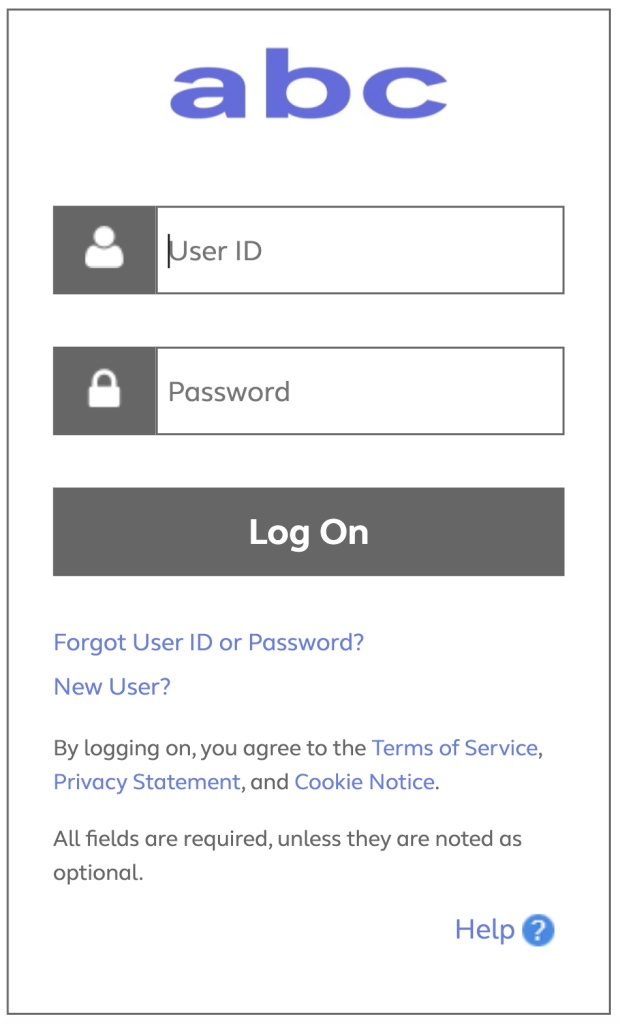
If you don’t have the required log-in details, select Forgot User ID or Password? and follow the prompts. If this is your first visit to Asurion Benefits Central, click New User?
Questions: Call 844.968.6278.
Register in Asurion Learning for the meeting you’d like to attend. After registering, you’ll receive a confirmation email containing information about joining the meeting.
Zoom Meeting: 996 4796 1554
Room: Yellowstone
Zoom Meeting: 944 4984 5718
Room: Selena Training Room 4th Floor Area
Room: Town Hall Area-Animal Kingdom
Room: Led Zepplin
Zoom Meeting: 951 5062 4558
Text “Benefits” to 67426 to have a link sent to your phone. Then, click the link to download the Alight Mobile app so you can access all the functions of the ABC on the go. (You’ll need to set your “Primary Phone” in Workday as your mobile number for full functionality.)